



Elevate Your Canva Skills from Beginner to Intermediate to Advanced!

Debra Norton
Presenter
30
mins
Course length
Multi Device
Access from mobile or laptop
4.93
Course rating
An adult and a child sitting at a table, working together on homework with notebooks and a smartphone nearby.
A sequence of black and white geometric shapes alternating between quarter circles and half circles arranged in a horizontal line.

Description

Are you ready to unlock the full potential of Canva for Education? Canva is the ultimate design tool for the classroom with innovative features to help educators with instructional tasks and support student learning. Join Deb Norton for this timesaving, to the point session we explore how to transform projects with Canva for Education's built in AI (Artificial Intelligence) design tools, create hundreds of certificates in a single click with the bulk creation feature, erase clutter with the image background remover, make content accessible in over one hundred languages with the translation tool, and give your documents a boost with the PDF editor. Get ready to elevate your Canva skills and revolutionize your teaching approach! Deb's expertise in educational technology will provide you with step-by-step instruction that will save you time and effort and engage your students in the creative process like never before.

Objectives

Recall fundamental Canva for Education tools and functionalities. Analyze the effectiveness of different design elements and techniques. Implement advanced design strategies to create visually compelling educational materials. Evaluate the suitability of Canva features for specific educational objectives. Assess the impact of well-designed visuals on student learning and engagement. Develop intricate designs that align with pedagogical goals and curriculum requirements.

Key Take Aways

• Master essential Canva for Education tools and features, advancing from beginner basics to advanced techniques. • Unleash your creativity with insider tips and tricks for designing captivating educational materials. • Discover innovative ways to integrate Canva into your teaching strategies, enhancing student engagement and comprehension. • Elevate your digital presence and make a lasting impact with polished and professional-looking designs.

Start your 7-day free trial today and explore this course at no cost.

Continue your learning with full access to our library of 1000+ courses, learning pathways and microcredentials to support your growth.

Meet

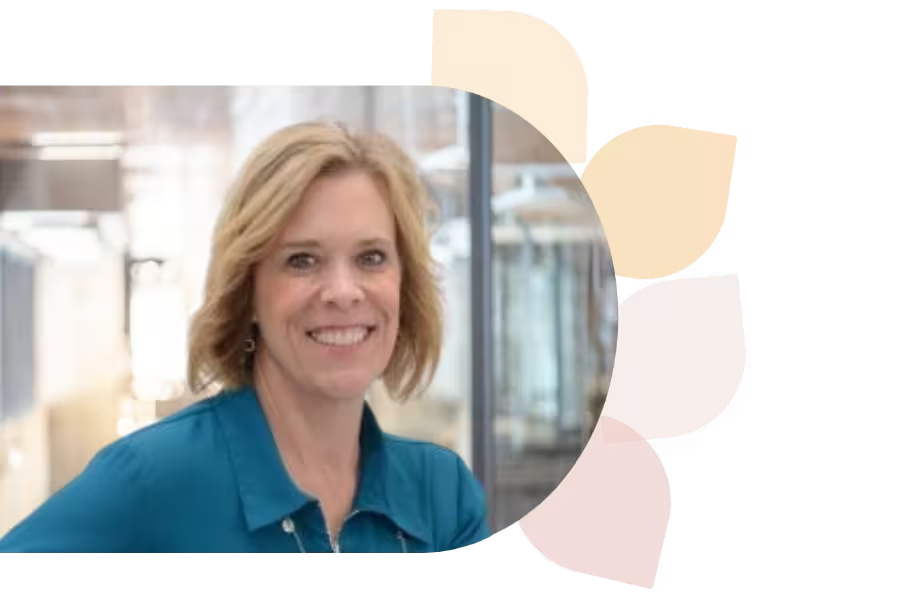
Debra Norton

Deb Norton is a Tech Integration Coordinator in Wisconsin’s Oshkosh Area School District. A former 5th grade teacher, she leads ISTE U’s AI course, holds a master’s in EdTech, and is a Google Certified Trainer. She presents nationally and shares her passion via blogging and social media.
Specializes In:
Instructional Technology Coordinator

Over 1,000 courses. 40+ topics. Unlimited potential.

The most comprehensive professional learning library available — designed to grow with you.
Arrow-icon-left
Arrow-icon-right

Ready to grow?

Unlock new strategies and skills—wherever you are in your teaching journey.

A teacher with curly hair and glasses shows a glowing light bulb to a group of smiling children gathered around a table.


